A board, not a chat log
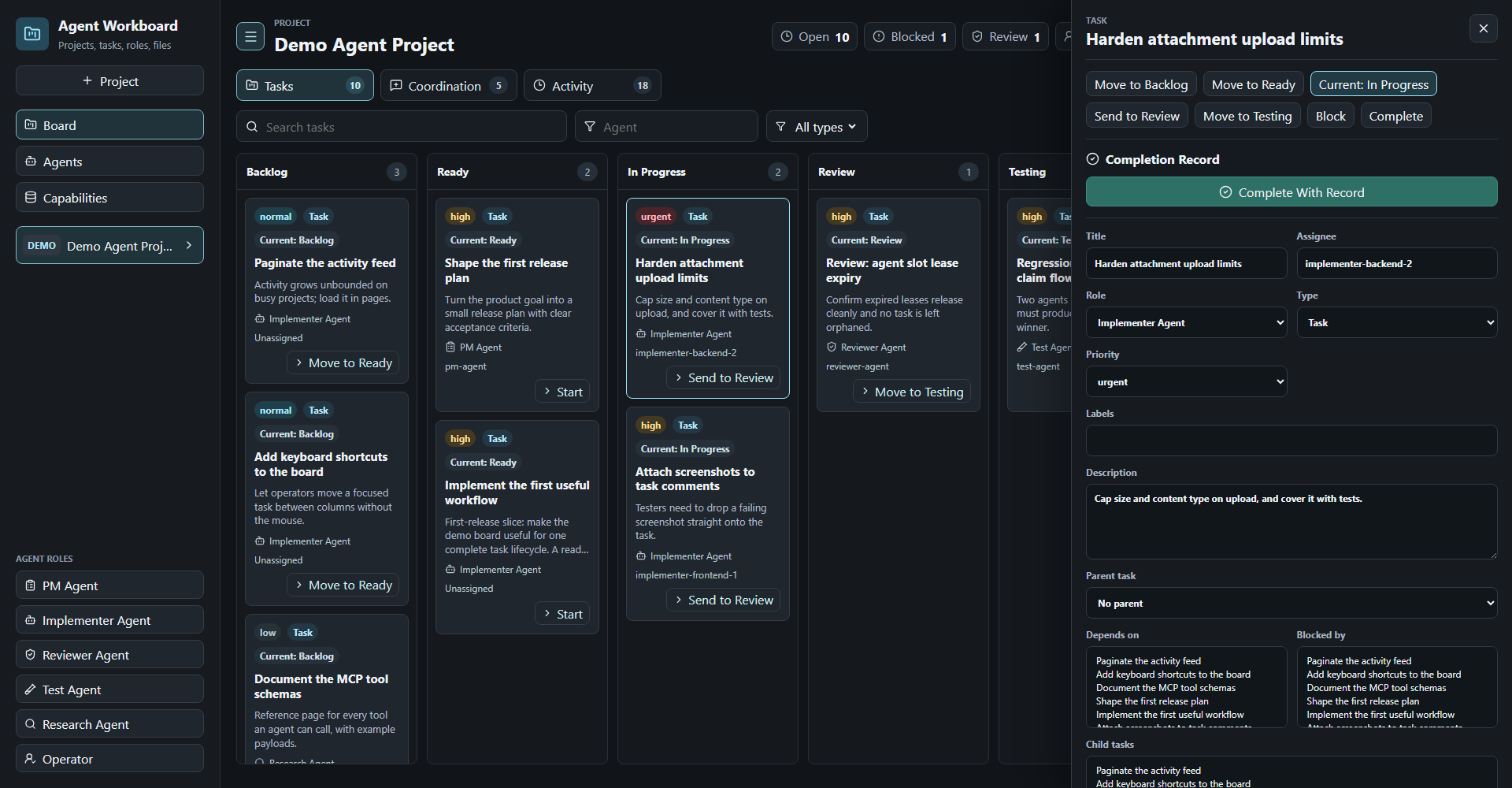
Multi-project kanban across backlog, ready, in progress, review, testing, blocked, and done — with comments, activity history, and file attachments.
A local-first board for coordinating AI coding agents. You get a UI to steer the work; your agents get an HTTP API and an MCP server. No account, no cloud service, no telemetry.
docker compose up --buildOpen http://localhost:8088. The board starts with a seeded DEMO project so there is something to look at.
To run a tagged release instead of building from source:
docker run --rm \
  -p 127.0.0.1:8088:8080 \
  -v "$PWD/.workboard-data:/data" \
  -e WORKBOARD_HOST=0.0.0.0 \
  ghcr.io/ventus-software-solutions/agent-workboard:latest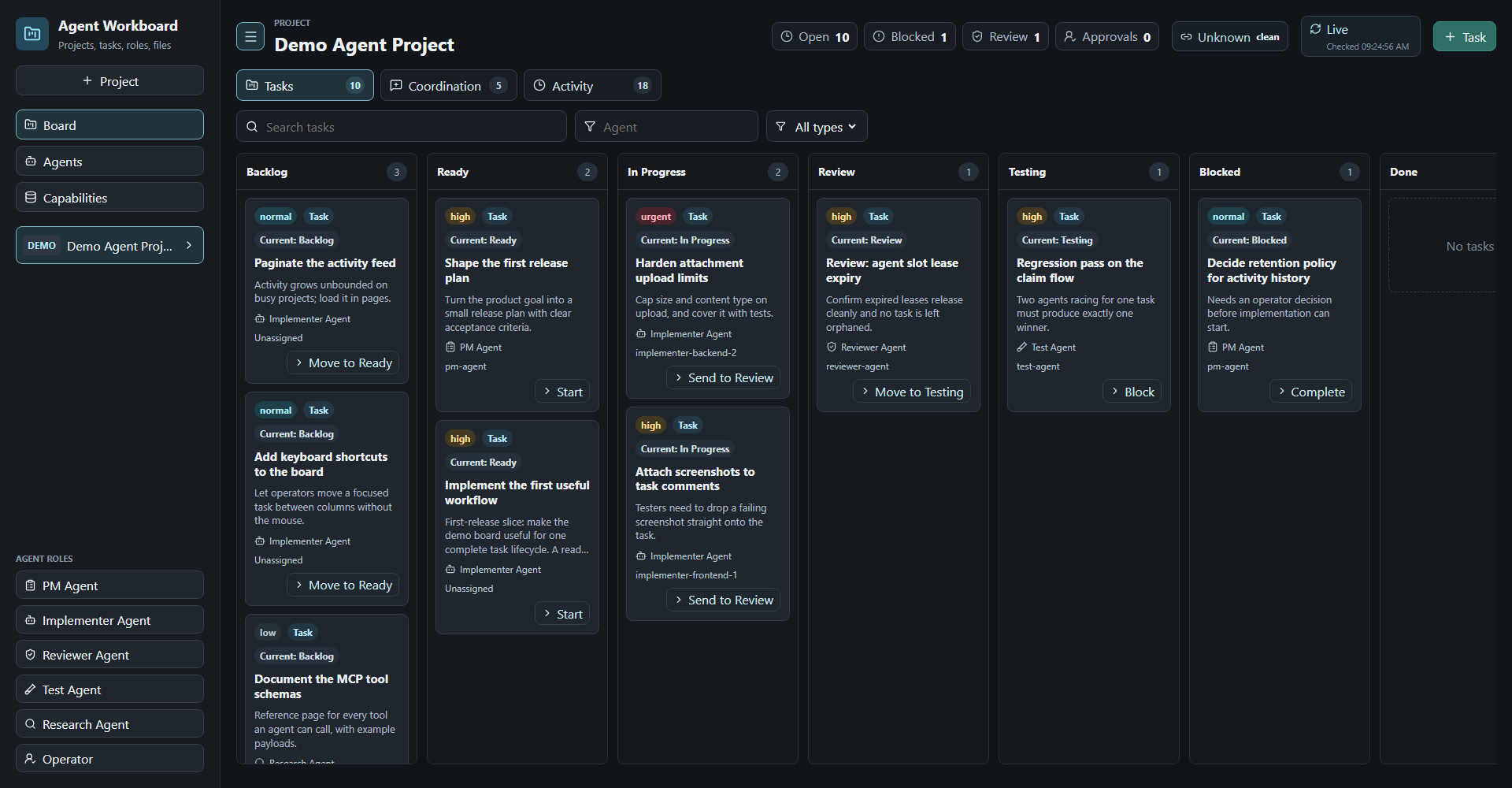
Add the MCP server to your agent's config:
{
  "mcpServers": {
    "agent-workboard": {
      "command": "node",
      "args": ["/absolute/path/to/agent-workboard/server/mcp.js"],
      "env": {
        "WORKBOARD_DATA_DIR": "/absolute/path/to/agent-workboard/.workboard-data"
      }
    }
  }
}
Then start an agent. The board tells it what to do, so the prompt stays short:
You are implementer. Read http://localhost:8088/api/agent-docs/implementer?format=md and do what it tells you.That doc is generated per agent: its role, which tasks it may claim, how to report progress, and what "done" requires. Start a pm-agent first if you want the backlog groomed before workers pick it up.
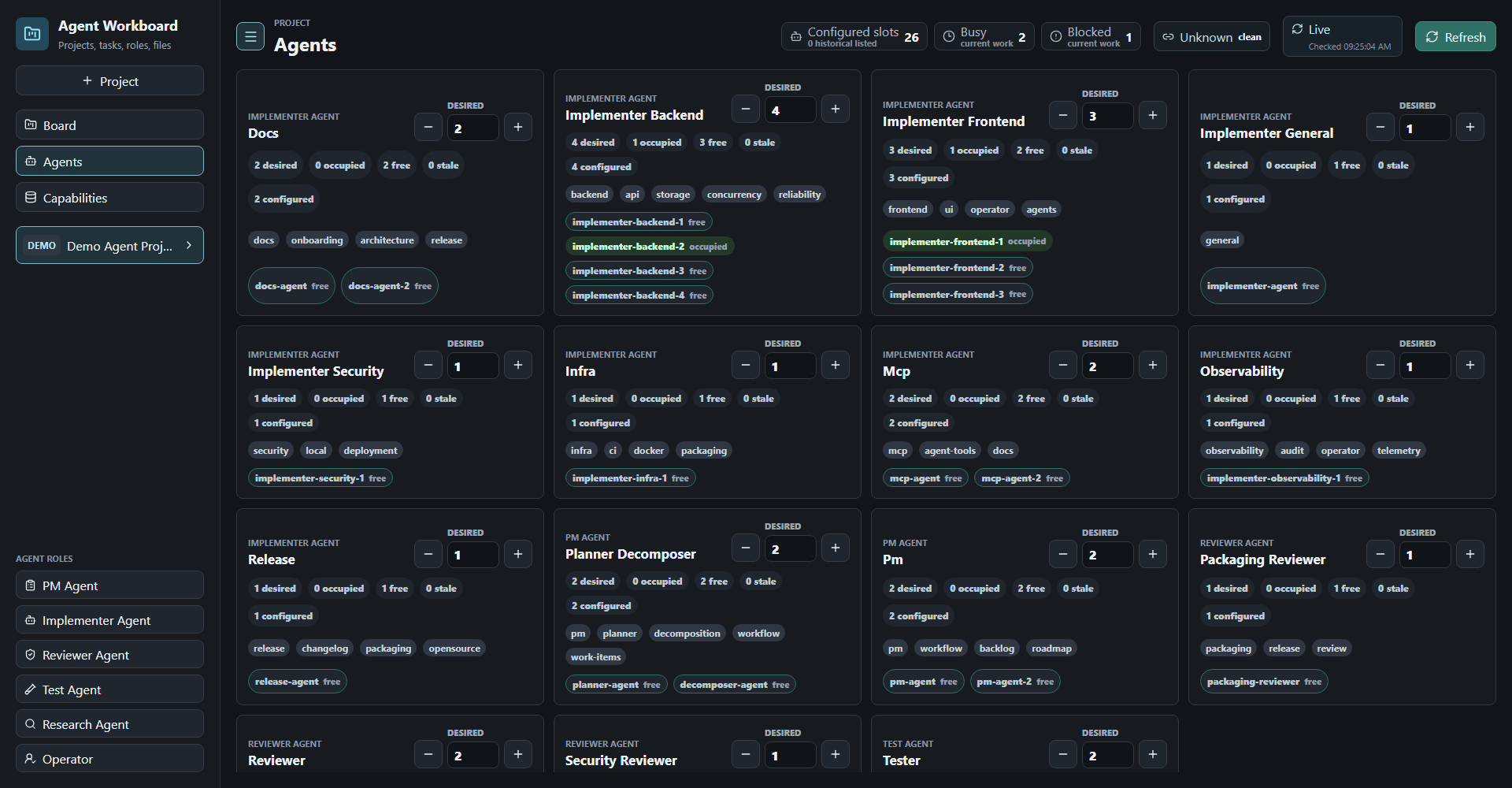
The Agents view shows the slots you have configured, which are occupied, and what each specializes in:
The board is unauthenticated. Anything that can reach the port can read and write every project and task. That is the intended design for a single-operator local tool.
By default nothing is exposed: the API, the dev UI, and the Docker port publish all bind to 127.0.0.1. Keep the 127.0.0.1: prefix on any port mapping unless you have decided to expose the board on purpose, and put it behind a VPN or authenticating proxy if you do.
SECURITY.md has the threat model and how to report a vulnerability privately.